Build
1. What kind of websites can be converted into an app?
You can convert any website into a mobile app using QuikApp — including eCommerce sites, blogs, WordPress sites, custom-built websites, SaaS dashboards, and more.
If the website opens in a browser, QuikApp can convert it into an app.
2. Do I need coding or design knowledge to build the app?
No.
You don’t need any technical knowledge.
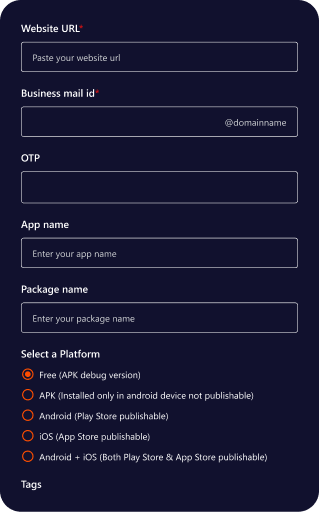
Just enter your website URL and QuikApp will automatically generate your Android/iOS app.
You can customize logo, splash screen, navigation, push notifications, chatbot, and more — all without coding.
3. Do I need to rebuild the app if I update my website?
No.
Your app always shows your latest website content automatically.
You only need to rebuild your app if you want to change:
- App logo
- Splash screen
- App name
- Package name
- Navigation settings
- Push notification setup
- Chatbot settings
Content changes on your website do not require a rebuild.
4. Can I preview the app before using credits to build it?
Yes.
Before building the app, you can preview your mobile app instantly:
- Go to Create New App
- Enter your website details
- Choose device preview (Android or iOS)
- Click Preview to see how your website looks inside the app
Previewing does not consume any credits.
5. How can I change the app logo and splash screen after the build?
If you want to change your logo, splash screen, or any build-related settings:
- Use the Rebuildoption
- Rebuilding consumes credits, same as a regular build
- You can rebuild your app anytime (Android or iOS)
Note:
After rebuilding, you must resubmit updates to Play Store or App Store if your app is already published.
6. How many apps can I build in one purchase?
Your plan determines how many projects/apps you can create:
- Free Trial:1 project/app
- Basic Plan:1 project/app
- Agency Plan:Up to 5 projects/apps
- Corporate Plan:Up to 10 projects/apps
You can rebuild the same app multiple times as long as you have credits.
7. How do credits work for building apps?
Credits are consumed based on the type of build:
| Build Type | Credits Used |
|---|---|
Android APK |
1 credit |
Android AAB |
1 credit |
iOS IPA |
1 credit |
Android + iOS Build |
2 credit |
Every time you rebuild your app (Android or iOS), credits will be deducted based on the build type.
8. Can I top-up credits if I run out?
Yes. You can top-up credits anytime.
Just go to your Account Centre→ Credits→ Top up Credits and purchase additional build credits.
This allows you to:
- Build more apps
- Rebuild existing apps
- Generate Android/iOS builds anytime without upgrading your main plan
9. What is included in all plans?
Every plan includes the following features without extra cost:
- Push Notifications
- Chatbot
- Logo & Branding
- Splash Screen
- Bottom Navigation bar
- Pull to Refresh
- Loading Indicator
- App Screenshots
- Website-to-App Engine
Only build credits are charged when generating APK/AAB/IPA files.
10. How long does it take to generate a build?
Android builds usually take 5-10 minutes.
IOS builds usually take 5-8 minutes.
Time varies based on your app settings, splash screen, or Firebase setup.